App routing
Experimental feature
Recent versions of Happ (2.0.*+) introduced app routing on Windows.
Latest Happ download
Configuring routing
1
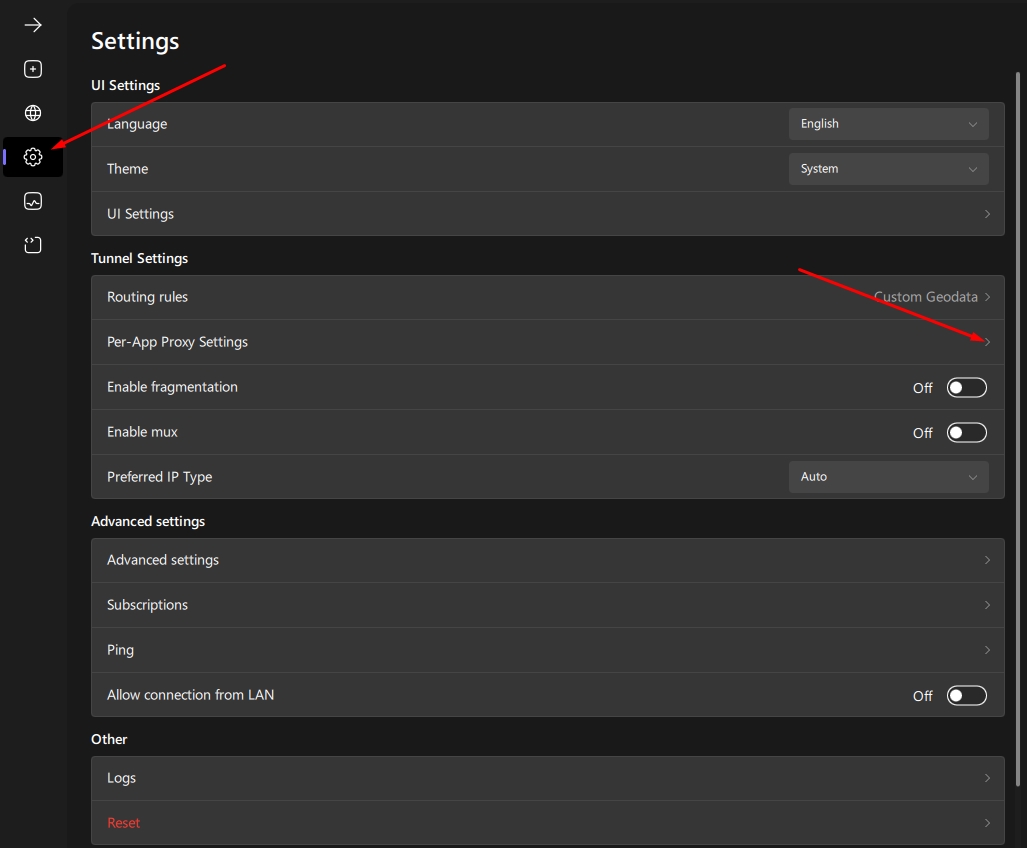
Open per-app proxy settings
Go to "Settings" → "Per-app proxy settings"
2
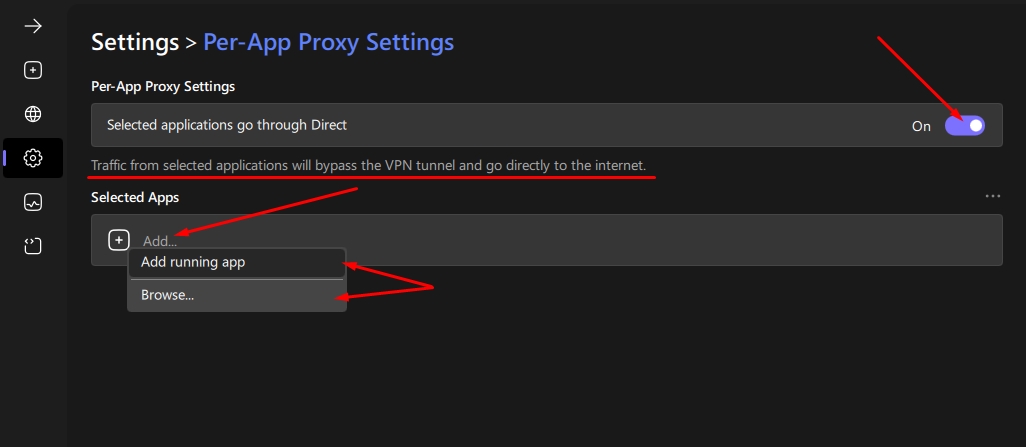
Enable the feature and choose a mode
Turn on the "Selected apps go directly" toggle. Pay attention to its description — it determines how routing works: traffic from the selected apps will bypass Proxy and go straight to the internet.
3
Add apps to the list
Click "Add" and choose one of two options:
- "From process list" — pick from running processes (the ones visible in Task Manager)
- "Browse..." — point to a specific .exe file
Important notes
Run as administrator
Don't forget to run Happ as administrator — without that, app routing won't work correctly.
Disable the active session before configuring
Always turn Proxy off before editing the app list. Set up the list and mode the way you want, then turn Proxy back on. If you changed settings while Proxy/TUN was running, routing will only take effect after you restart the session.