How do I enable IPv6 in Happ?
IPv6 is required for many widely-used services to work properly — Instagram, WhatsApp, and others. We strongly recommend enabling it in the app.
Important
Without IPv6, some apps and services may not work correctly or may not open at all
Step-by-step guide
1
Open the Happ app
2
Go to settings
Tap the settings icon in the top right corner

3
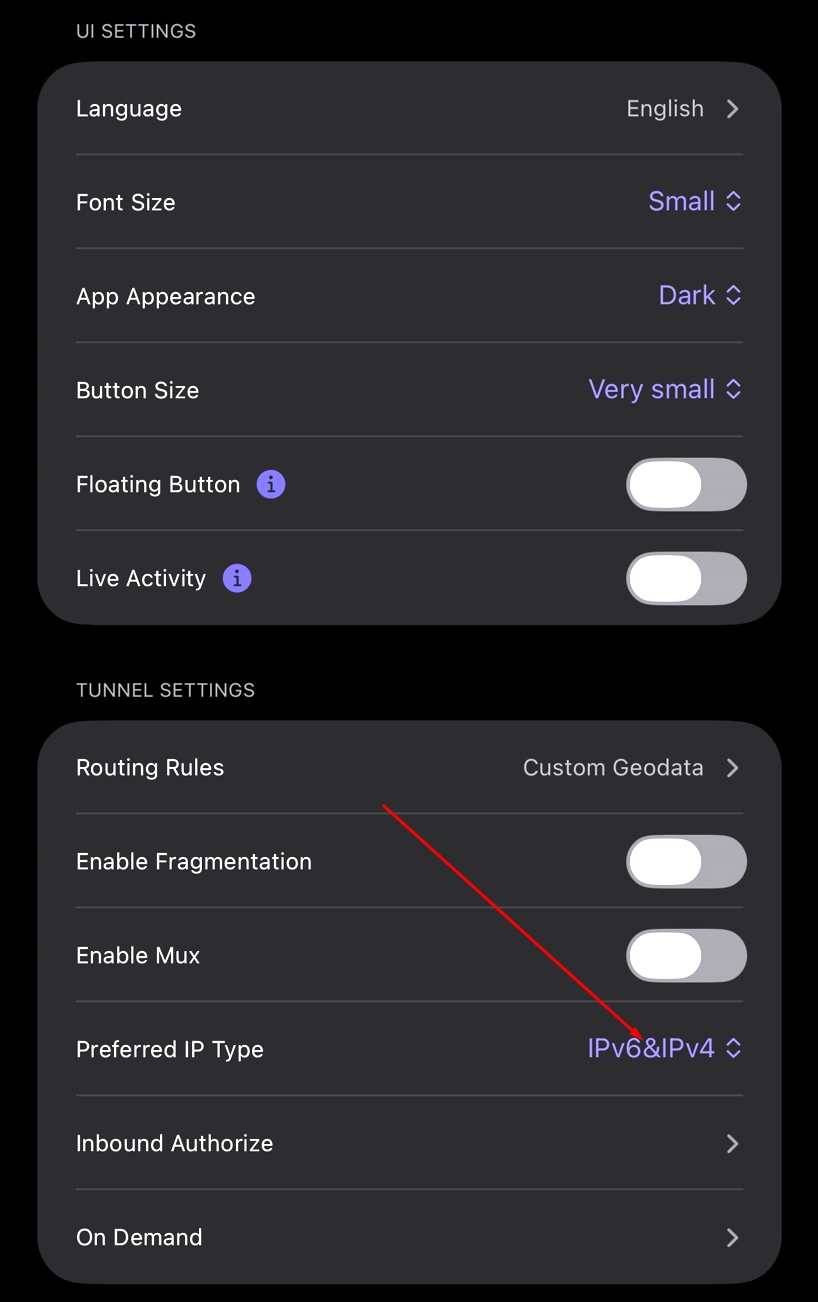
Find the "Preferred IP type" option
Scroll to the network settings section and choose IPv6&IPv4
4
Done!
All services should now work correctly
Tip
If some services still don't work properly after enabling IPv6, try restarting the Happ app